

Prisma Cloud Copilot
AI-powered module available on the Prisma Cloud platform to improve the investigation and response capabilities of your cloud security teams.

Click here to jump to more pricing!
Please Note: All Prices are Inclusive of GST
Overview:
Prisma Cloud Copilot is a generative AI-powered module available on the Prisma Cloud platform to improve the investigation and response capabilities of your cloud security teams.
It provides a natural language interface to assist you in your alert and vulnerability management tasks, create support tickets, and search for answers in Prisma Cloud documentation. You can also remediate alerts and vulnerabilities through Prisma Cloud Copilot.
NOTE:- Prisma Cloud Copilot is available in a phased rollout for Cloud Security on all Prisma Cloud stacks (except app.gov and app.cn)
- Prisma Cloud Copilot is only available for Enterprise License customers.
- Only Prisma Cloud users with System Administrators roles have access to Prisma Cloud Copilot.
- Currently, the Prisma Cloud Copilot usage is free and it does not consume any credits.
Features:
Key Benefits of Prisma Cloud Copilot
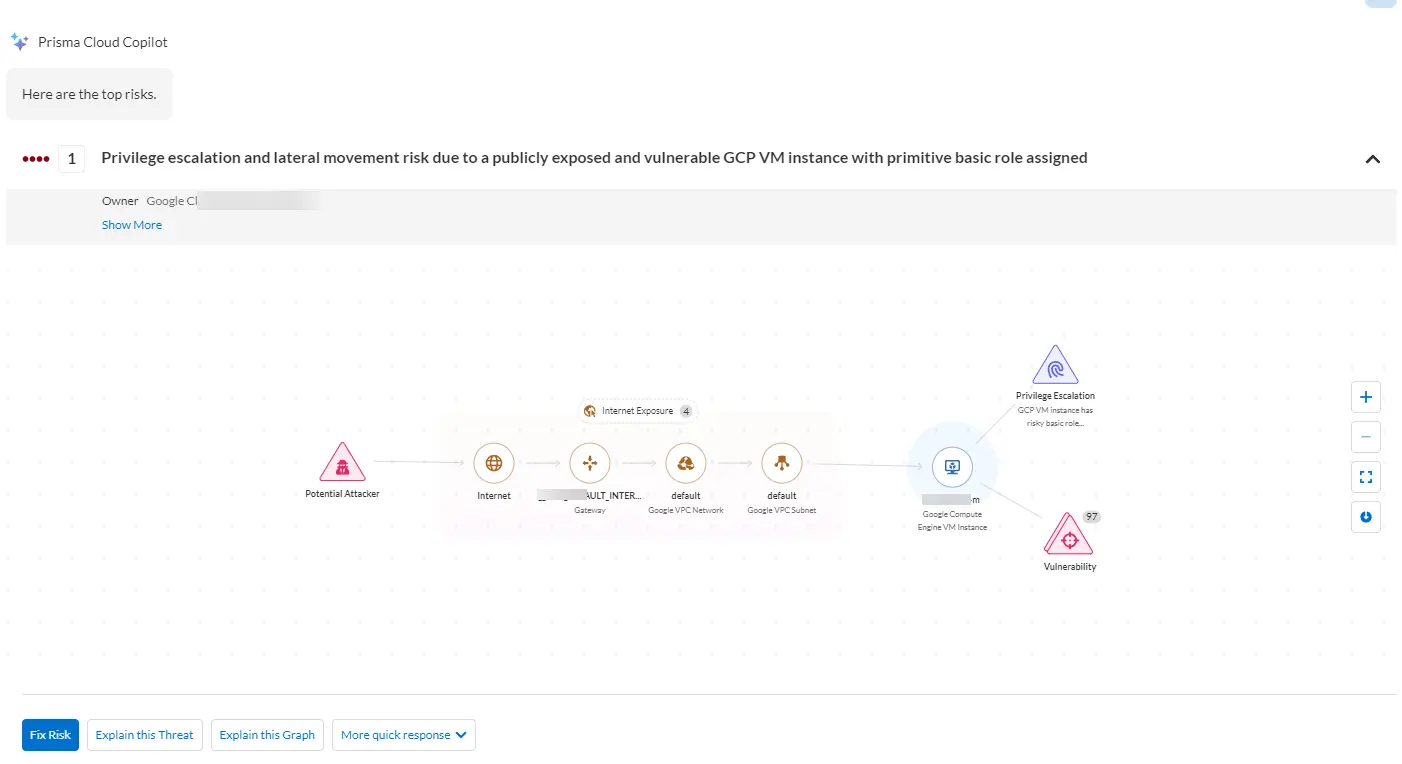
Find Risks and VulnerabilitiesYou can dive in to your code and cloud environments with the Prisma Cloud Copilot, which is designed to uncover and illuminate your most pressing risks. The Copilot goes beyond mere detection and guides you through a comprehensive journey, from pinpointing vulnerabilities to prioritizing and executing effective remediation strategies. It provides you with an opportunity to transform your security posture, making your digital landscape not only more transparent but also more resilient against potential threats.
| Use Cases | Description | Sample Prompts |
|---|---|---|
| Attack Path Insights and Management |
Helps you to prioritize and remediate the riskiest attack paths. Shows the top attack path and explains the associated risk. Provides remediation options including fix in code and cloud (runtime). |
What are my top security risks? |
| Vulnerabilities Insights and Management |
Helps you to prioritize and remediate the riskiest vulnerabilities. Shows the top vulnerabilities and explains the associated risk. Helps with focusing, exploring, and fixing a specific CVE. Provides remediation options including fix in code or open a Jira ticket. |
What are my top vulnerabilities? |
 Explore your Cloud Assets
You to delve deep in to your cloud assets using the Prisma Cloud Copilot, which offers insights in to your cloud infrastructure and vulnerabilities with a simple query. Unlock a new level of understanding and oversight of your environments, thereby enhancing your ability to manage and secure your cloud assets efficiently and effectively.
| Use Cases | Description | Sample Prompts |
|---|---|---|
| Attack Path Insights and Management |
Helps you to prioritize and remediate the riskiest attack paths. Shows the top attack path and explains the associated risk. Provides remediation options including fix in code and cloud (runtime). |
What are my top security risks? |
| Vulnerabilities Insights and Management |
Helps you to prioritize and remediate the riskiest vulnerabilities. Shows the top vulnerabilities and explains the associated risk. Helps with focusing, exploring, and fixing a specific CVE. Provides remediation options including fix in code or open a Jira ticket. |
What are my top vulnerabilities? |
| Search and Investigate |
Helps you to investigate using natural language to access your data in Prisma Cloud. You can search for your cloud assets and the associated findings (alerts or vulnerabilities). You can search for vulnerabilities found in your cloud environments. Examples to explore vulnerabilities: • Am I vulnerable to log4j? • Do I have Critical Severity vulnerabilities? • Am I impacted by CVE-2023-2222? Examples to explore assets: • Identify AWS EC2 instances with unrestricted access from the internet. • Find S3 buckets with internet exposure and unencrypted storage. • Which databases are reachable from the internet? |
Am I vulnerable to log4j? Do I have Critical Severity vulnerabilities? Which databases are reachable from the internet? |
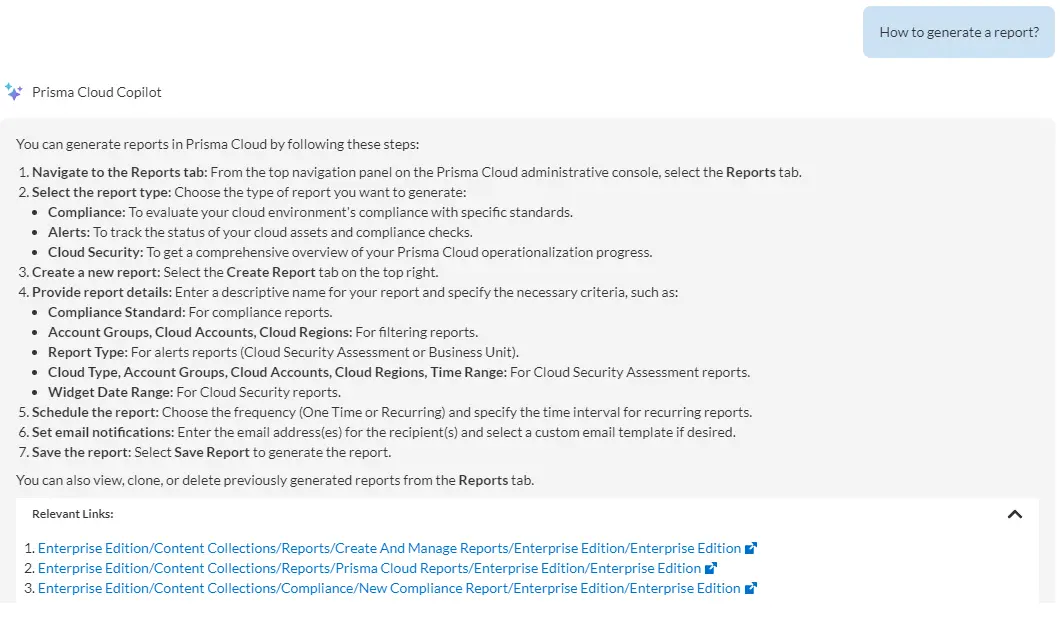
Use Prisma Cloud Copilot’s intuitive guidance to navigate the Prisma Cloud platform with ease, whether you are seeking assistance with a specific feature documentation or need direction within the product. The responsive Copilot ensures you are always just a question away from finding the right capability or feature, streamlining your experience and maximizing your productivity within Prisma Cloud.
 Create Support Cases
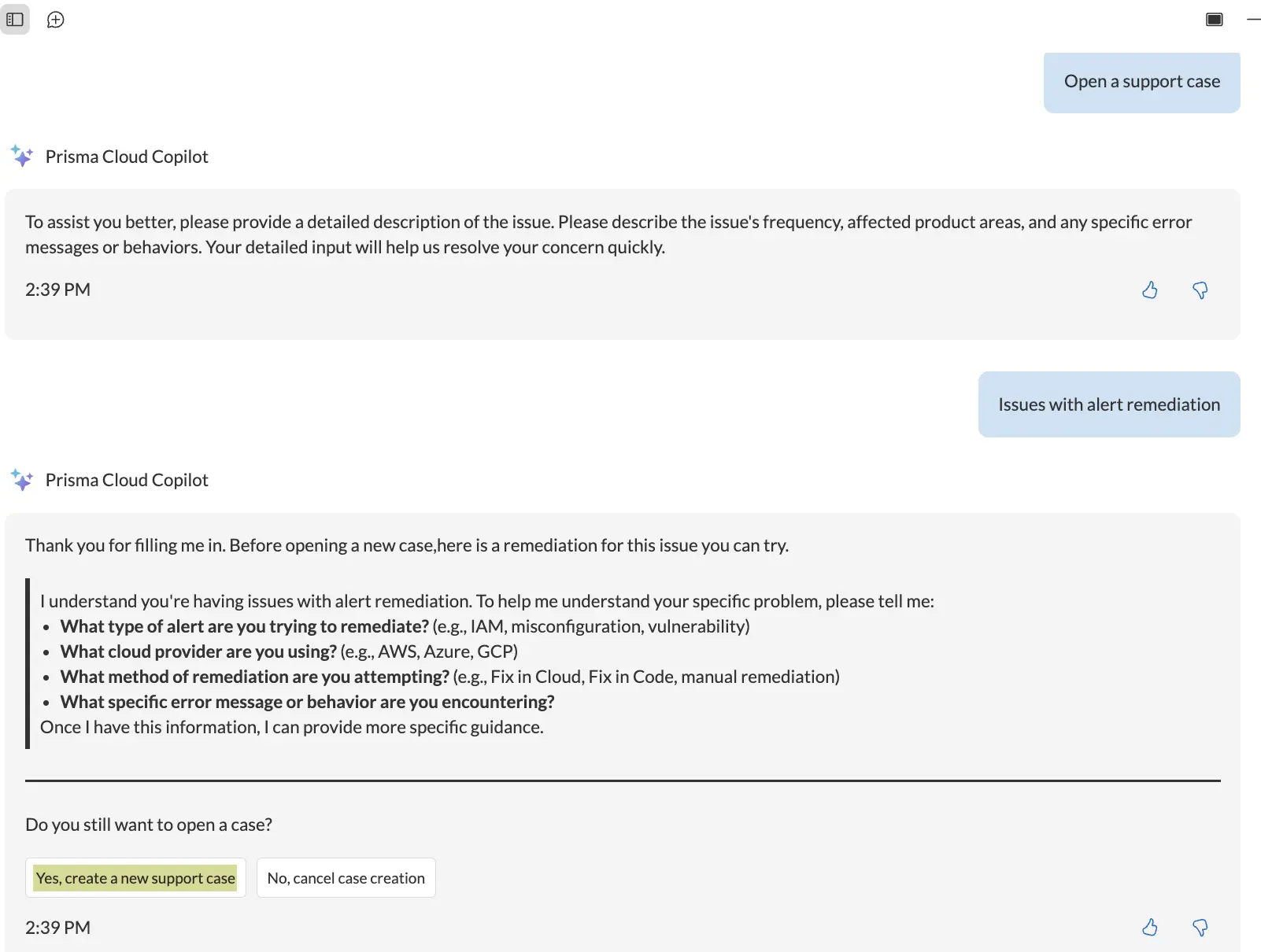
You can leverage Prisma Cloud Copilot to open support cases within Prisma Cloud. You do not need to switch to a different portal for opening support cases. You can create a context-rich support case by adding in all the details, including screenshots, documents, as well as screen-recordings using the Copilot.
Documentation:
Download the Prisma Cloud Copilot At a Glance Datasheet (PDF).
Pricing Notes:
- All Prices are Inclusive of GST
- Pricing subject to change without notice.